
Follow your music project from brief to delivery
Every project gets its own space. Send your brief, see what needs you, listen and approve, sign your license and get your final files. No more chasing emails for the latest version.
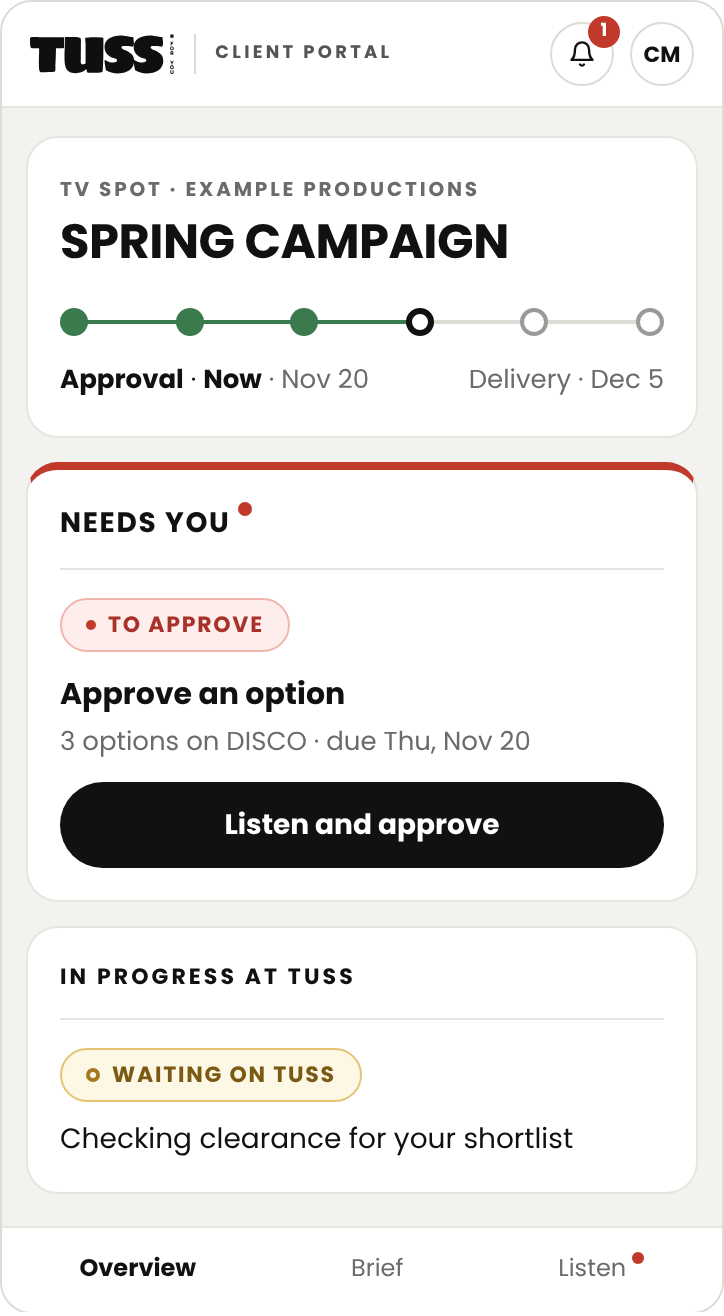
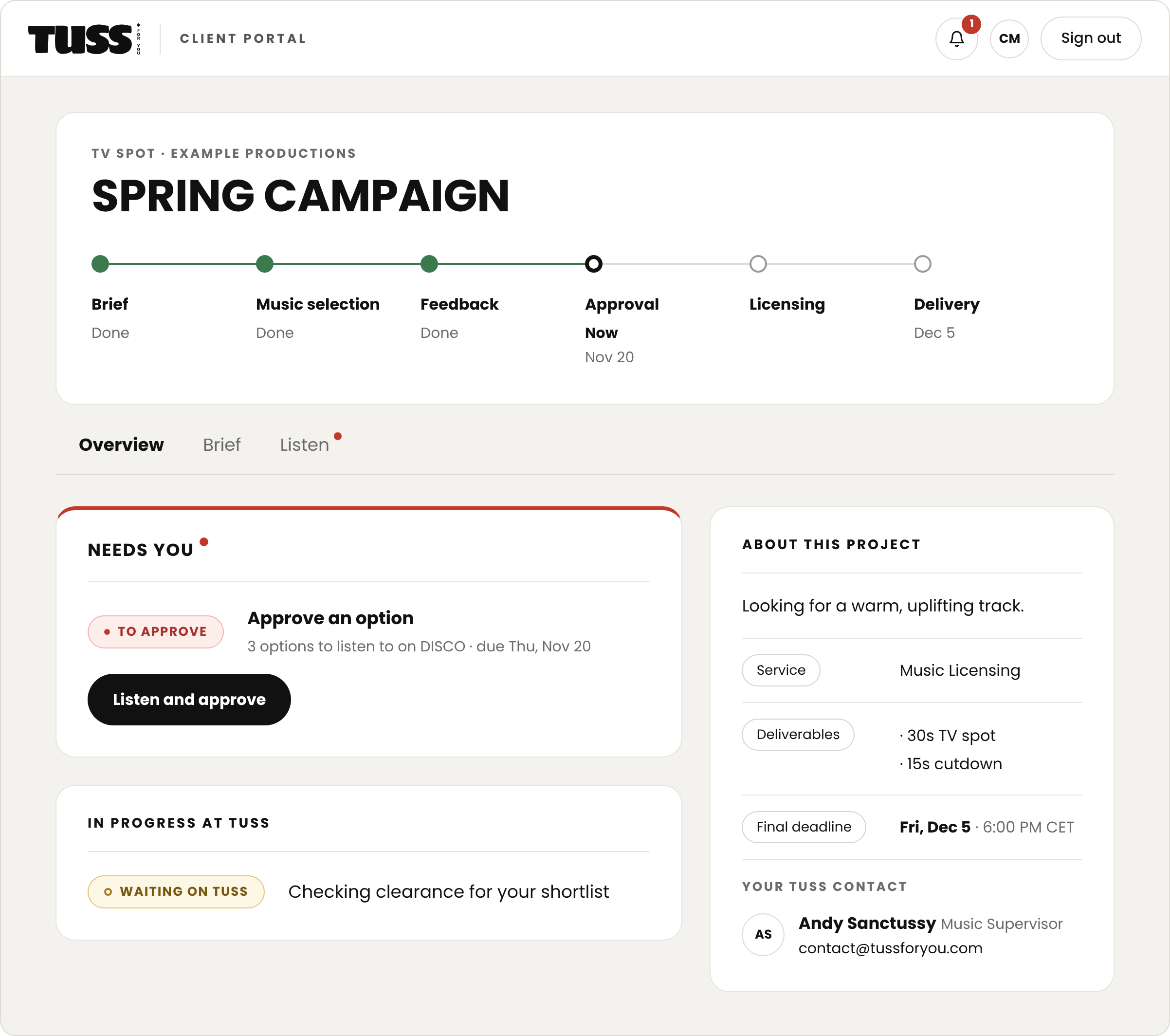
An example project in the TUSS client portal: the stage timeline, what needs you, what TUSS is working on, and your contact. Project, names and dates are illustrative.
What you can do in the portal
Sign in without a password
Your invitation arrives by email. Sign in with a link and you stay signed in on your device.
See what needs you
Each project shows its current stage, the next date and the action waiting on you, first. Nothing to do? It says so.
Listen and approve
Open each option on DISCO, ask for a revision with a timecode, comment, then approve one or several options.
Follow clearances
Track by track, see where each rights holder stands: request sent, negotiating, cleared. If one says no, we suggest alternatives.
Sign your licenses
Review licenses and agreements and sign them in the portal. Several people can sign the same document.
Budget, quotes and invoices
Approve the music budget in one click or sign the quote, then see and pay invoices online. For admins only.
Good to know
-
No. Send your brief from the site. When we start working together, you get an email invitation and sign in with a link. No password to remember.
-
Admins on your side invite colleagues and manage billing. Decision-makers approve; other members follow the project in view-only. Each client only sees their own projects.
-
Yes. Type your name and confirm. You get a signed PDF with a certificate showing the name, date, IP address and document fingerprint. Several people can sign the same document.
-
No. The portal is included in every project, from the brief to delivery.
-
Of course. You keep one point of contact at TUSS, and replies to portal emails go straight to us.
Start with a brief
A rough idea is enough. We reply within 24 hours and open your project space when we start.